

Free design tools
Color palette, contrast, and conversion tools
Pick a color from an image, build a palette around it, and check how the colors work together. When you’re ready to use them, convert individual colors to the format your stylesheet or design file needs.
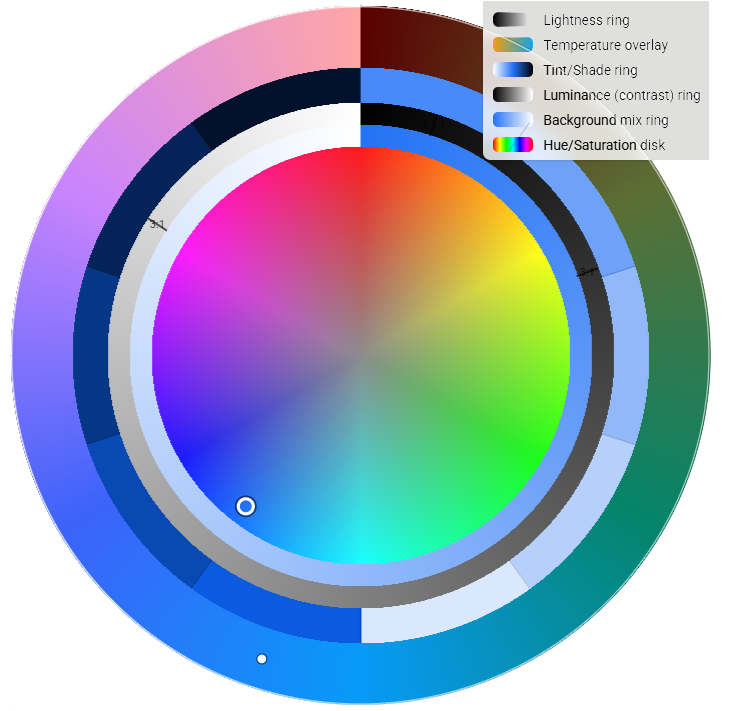
Palette Generator
Start with a seed color or an image. Explore complementary and triadic schemes on the Harmony Wheel, refine tonal variations, and compare swatches in the contrast matrix. Export the palette as CSS variables, Tailwind tokens, or JSON.
Try it with
Turn a brand blue into a set of light and dark UI colors, then check which pairs work for text.
CIE Laboratory
Compare foreground and background colors with WCAG contrast ratios and APCA. Explore color appearance with CAM16 and DIN99, and preview how color combinations may look under different types of color vision deficiency.
Try it with
Compare two chart colors under a deuteranopia simulation, then add labels so the series are easy to tell apart.
Color Converter
Translate a color between HEX, RGB, HSL, and HSV. Use alpha-enabled formats when you need to carry transparency into CSS.
Try it with
Convert #336699 to rgb(51, 102, 153) for a stylesheet or design handoff.
Image Color Picker
Pick the exact color of a pixel or extract the dominant colors from a photo, logo, or screenshot. Copy HEX, RGB, or HSL values and compare selected colors for contrast.
Try it with
Sample the background from a screenshot and compare it with the color of the text that sits on it.
Worked example
From a landscape to a web palette
Use the colors in a lakeside illustration to design a trail guide card.
Three colors from the scene
- Evergreen
#17453E - Lake
#4C8278 - Warm sky
#F5E9CF
Trail guide card
Pine Lake Loop
A short walk along the water and through the evergreens.
View trail map10.73:1 contrast. White button text on Evergreen exceeds the WCAG AA minimum of 4.5:1 for regular text.
- Image Color Picker. Sample the trees, lake, and sky to capture their HEX values.
- Palette Generator. Use Evergreen as a seed and explore lighter tints for surfaces and accents.
- CIE Laboratory. Compare white text against Evergreen before using the pair on the button.
- Color Converter. Convert Evergreen to
rgb(23, 69, 62)for a CSS workflow that uses RGB.
Checking colors against WCAG 2.2
- Use labels, shapes, or patterns alongside color to distinguish states and chart series. 1.4.1 Use of Color (A)
- Check text against its actual background. The minimum is 4.5:1 for regular text and 3:1 for large text. 1.4.3 Contrast (Minimum) (AA)
- Check that visual details needed to identify controls, states, and meaningful graphics have at least 3:1 contrast against adjacent colors. 1.4.11 Non-text Contrast (AA)